Your starting point
Meet the trainers, discuss gaps in your current AI use and explore the six levels of AI users. Identify the work you want to improve.
PRACTICAL CLAUDE TRAINING
Set up Claude, organise your knowledge and practise delegating real tasks. Build towards a repeatable workflow and a dashboard prototype, with human review throughout.
 Second BrainContext you can reuse
Part 1 · Foundations
Part 2 · Application
Work you can review and develop
Begin with setup and judgement, then apply them to knowledge, files and business tasks.
Build the foundations, organise your workspace and practise giving Claude a useful brief.
Meet the trainers, discuss gaps in your current AI use and explore the six levels of AI users. Identify the work you want to improve.
Understand traditional and generative AI, and where language models such as GPT, Claude and Gemini fit. Examine their limits and what responsible use requires.
Explore how agents use memory, planning and feedback. Understand multi-agent working, a Personal Agent and the role of an organised AI workspace. Keep human review explicit.
Explore Chat and Cowork. Work through account settings, preferences and instructions, then practise choosing models and reasoning effort, writing briefs and reviewing answers.
Explore MCP connectors, approved skills and Claude in Chrome. Learn a process for finding, installing and testing extensions before relying on them.
Learning outcome: A configured Claude workspace, a reusable briefing method and one reviewed work output.
Use your setup to organise knowledge, delegate a task and build something your team can test.
Organise instructions and recurring tasks in one primary workspace. Understand how cloud Projects, local folders and memory fit into your working setup.
Create a Claude Project for your role. Add approved knowledge, templates and examples, with sources you can maintain and context you can reuse.
Delegate a multi-step task using files, checkpoints and verification. Explore scheduled tasks and Dispatch where available, with clear boundaries and review points.
Bring approved connectors and skills together. Define the task, choose the tools and include the checks needed before delivery.
Turn a business requirement into a simple dashboard prototype using sample data. Check the calculations, functionality and usability before considering business use.
Work through tailored demonstrations and group practice. Present a workflow, assign an owner and outline a four-week application plan.
Learning outcome: A working Second Brain, a repeatable department workflow and a dashboard prototype.
Tools and demonstrations depend on current product capabilities, account access and company IT approval. We confirm the working setup before delivery.
Practical outputs to review during training and develop through use.
Settings, role instructions and a briefing method you can use again.
Second BrainContext you can reuseA Claude Project with approved knowledge, examples and reusable context.
A department task with checkpoints, verification and a named owner.
A sample-data tool to test, plus a plan for applying what you learn.
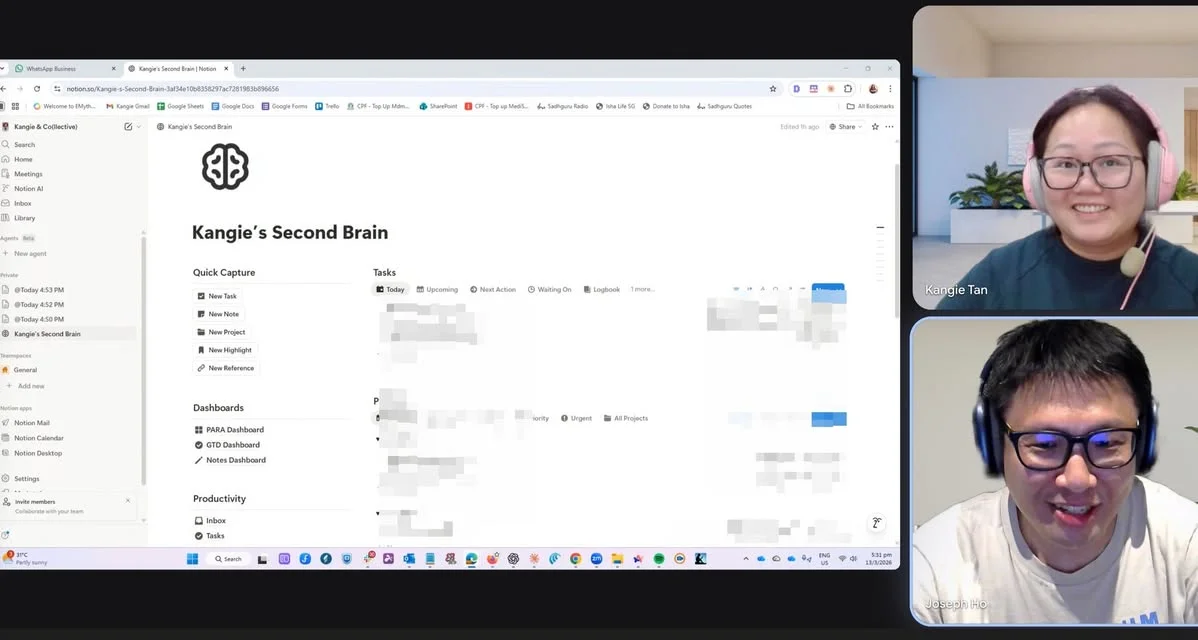
Choose approved examples from your work. Practise briefing Claude, checking its output and leaving enough context for the next task. Use sample data for prototypes and agree who reviews the work before it goes further.
Photo from previous coaching experience.No. Claude Mastery focuses on Claude Chat, Cowork and practical business workflows. Claude Code is not taught in this course.
Business leaders, managers and teams who want to use Claude for practical work. The curriculum starts with AI foundations and moves into organised context, delegation and workflow practice.
Claude Mastery is delivered in one six-hour session. We confirm the delivery schedule, format and group size with you before booking.
The programme begins with setup and everyday AI use. The vibe coding module introduces a simple prototype using sample data, with time devoted to checking what it produces.
Bring a suitable laptop and a work task to explore. Accounts, subscriptions, installation permissions and approved sample files need to be agreed before delivery. Do not bring confidential or personal data without company approval.
Access depends on the account, plan, device and company IT policy. We check the relevant capabilities before delivery and confirm which tools and demonstrations are appropriate for your group.
This page covers one six-hour training session. Participants outline a four-week application plan during practice. A separate implementation-review session or ongoing support is not included unless agreed in your proposal.
Contact us to discuss your group and requirements. We will confirm the fee, delivery details and any account requirements in a proposal.
Tell us about your group, current experience and the tasks you want to practise. We will discuss how Claude Mastery fits your needs.
Discuss Claude Mastery ↗Opens Joseph's Skool profile. An account may be required to message.